AI Business Advisor1/54
Use your business records to understand results and plan your next step.
Paid-plan AI
All-in-One Business App
Invoices, stock, customers, expenses and AI-powered insights—in one workspace, on your phone or computer.
AI tools require an eligible paid plan. Multi-staff is an optional add-on.Use your business records to understand results and plan your next step.
Paid-plan AILet customers browse products, services and prices on their own phones.
Create a professional bill and share it easily on WhatsApp.
Keep customer records and your catalogue together to encourage return visits.
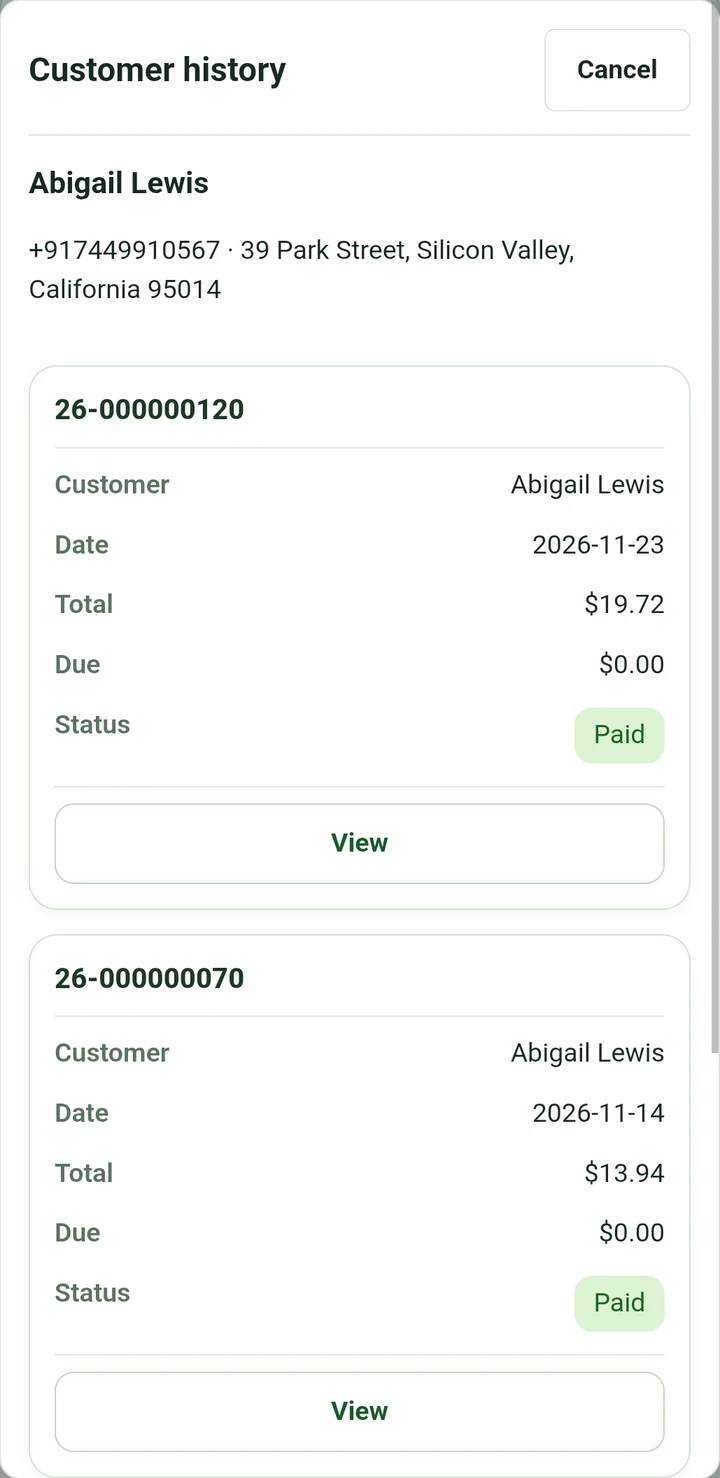
Find previous purchases, payments and outstanding dues in one place.
Search item names, SKU and saved custom fields. Save a rack or shelf field to find the item’s recorded location.
See which products need attention before your next stock purchase.
Assign responsibilities and review work while keeping owner controls.
Optional Multi-staff add-onExplore twelve AI report types based on your own business records.
Paid-plan AITurn menu or price-list photos into item drafts. Check before saving.
Paid-plan AIImport supported CSV records and export a copy of your BOS backup.
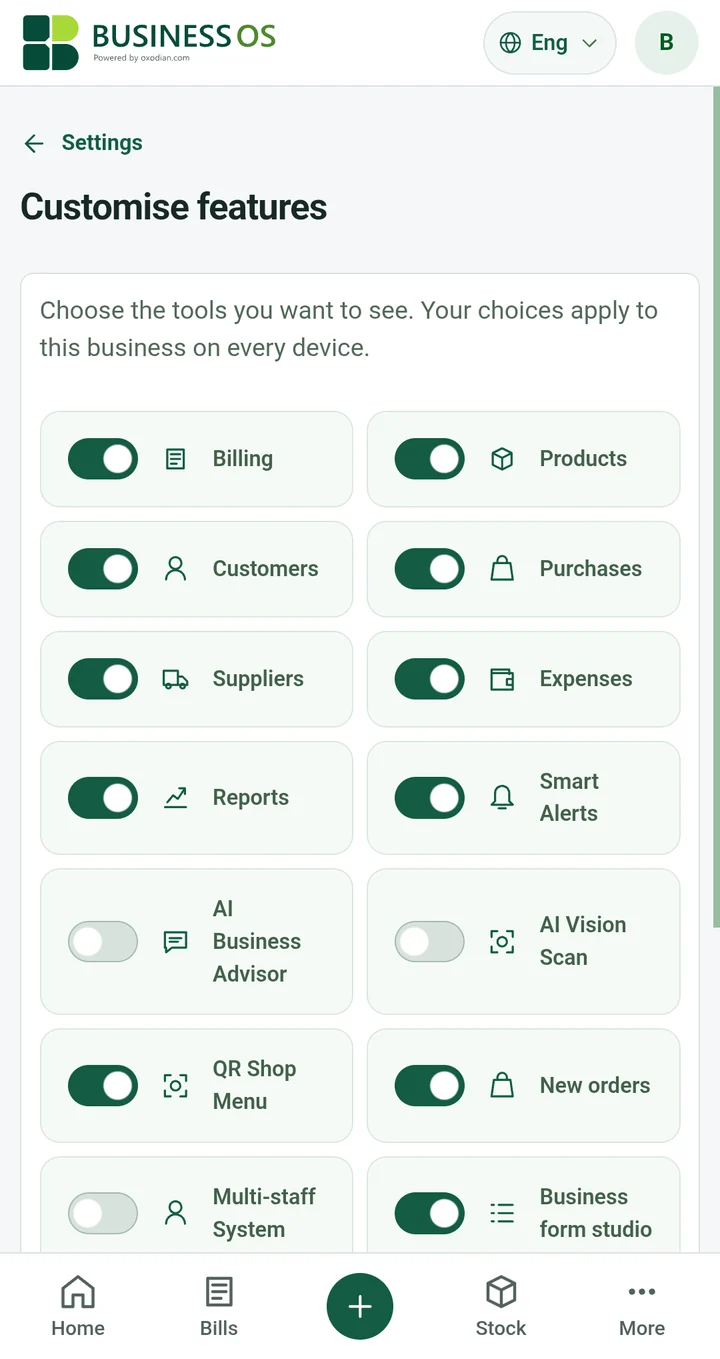
Choose the features, forms and dashboard that suit your work.
Send ideas and feature requests on WhatsApp for consideration, without a delivery guarantee.
Paid-customer benefitArrange available forms and fields around your kind of business.
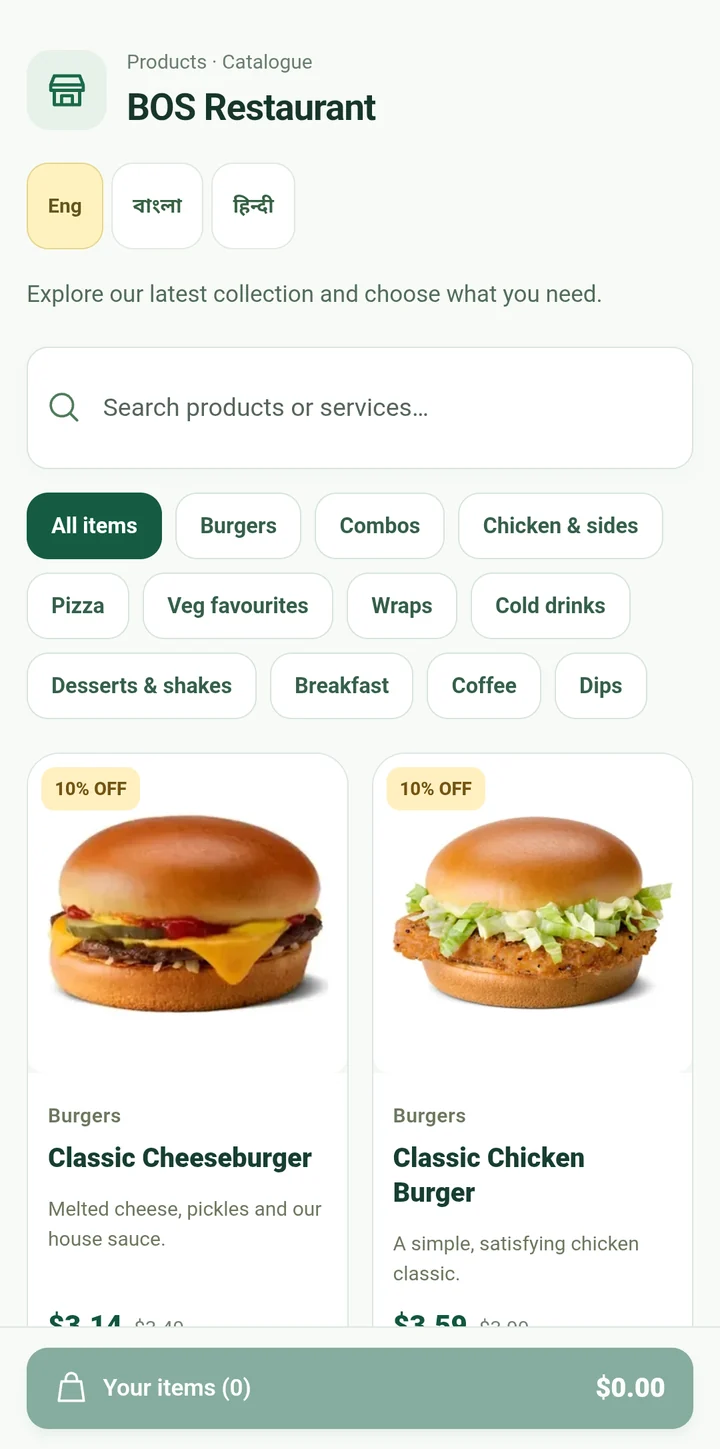
Share a shop link with products, prices and current availability.
Receive customer QR orders directly in your workspace when ordering is enabled.
Mark items available or unavailable so customers see current information.
Customers scan and browse in their browser without signing up.
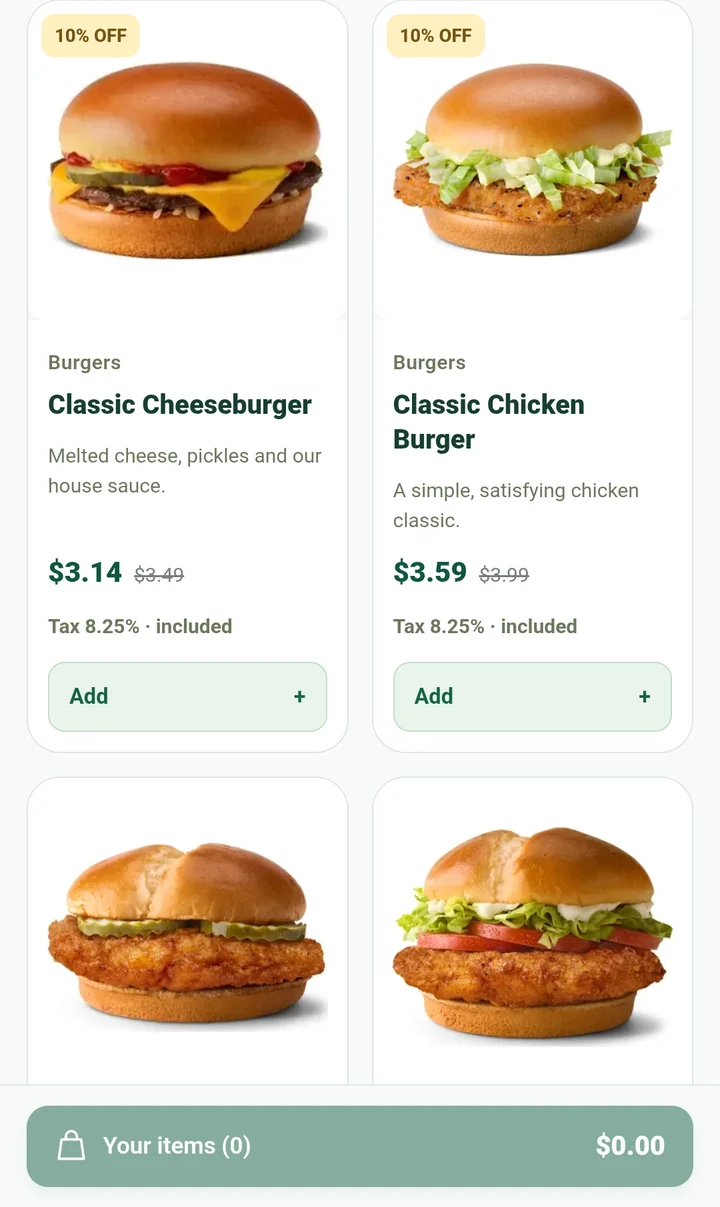
Use cash, UPI or your own card system. BOS does not collect customer money.
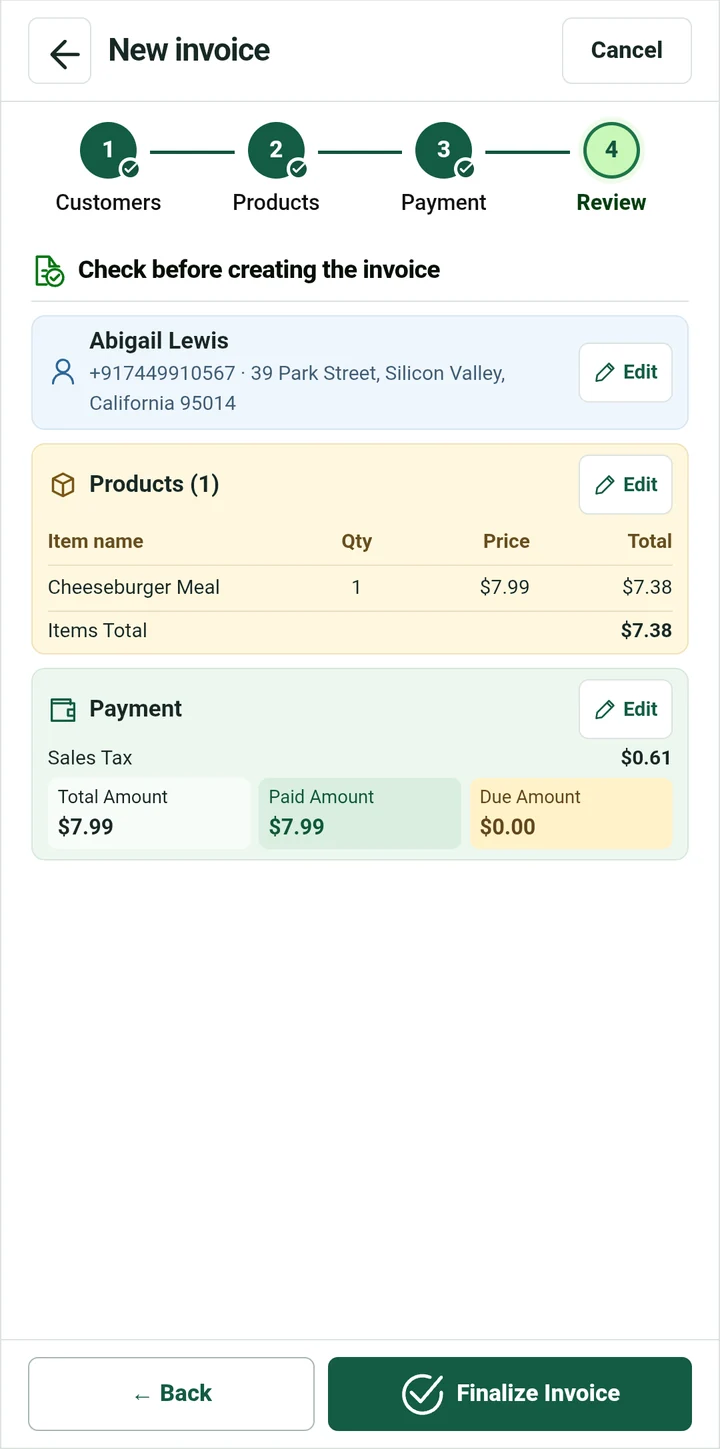
Bring QR order items into billing, check the details and finalize.
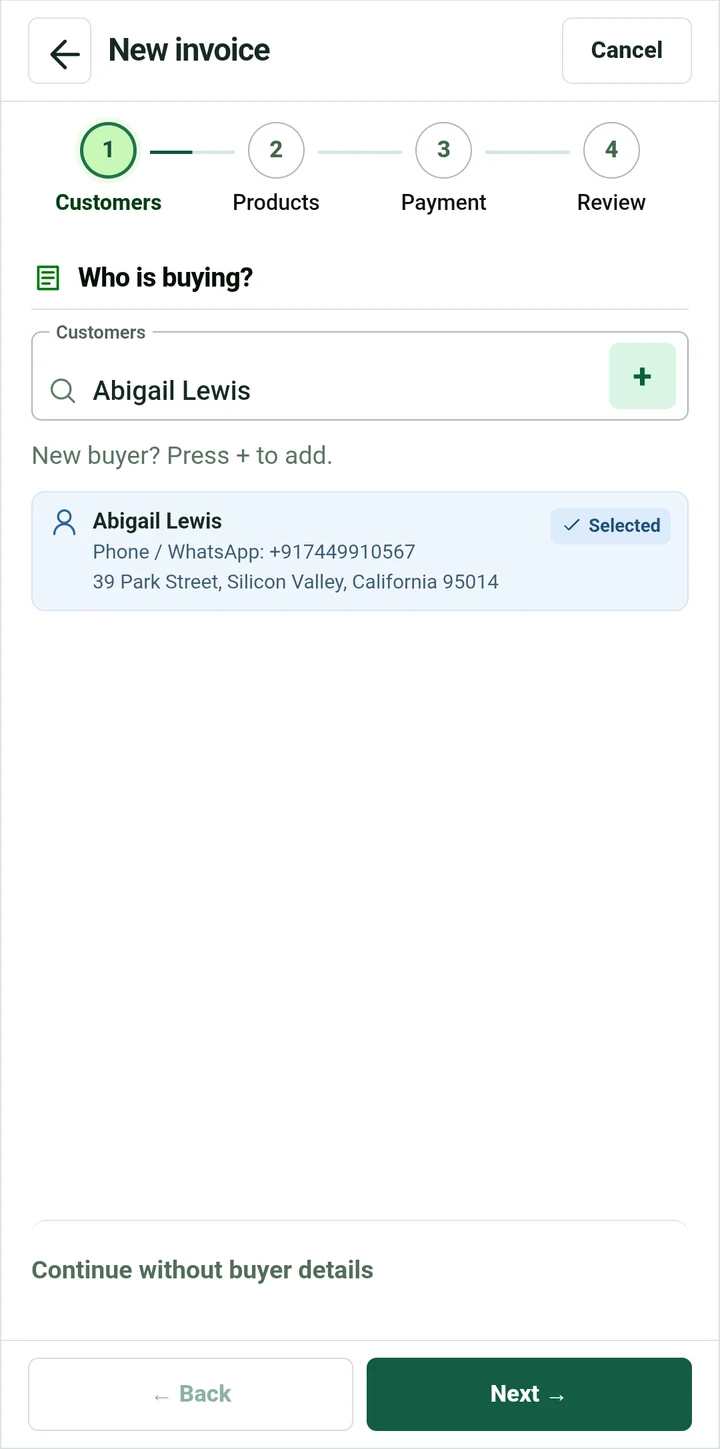
Create a bill with simple item selection and a few clear steps.
Use saved products, services and prices, or add an item when needed.
Record what was paid and what remains due against each invoice.
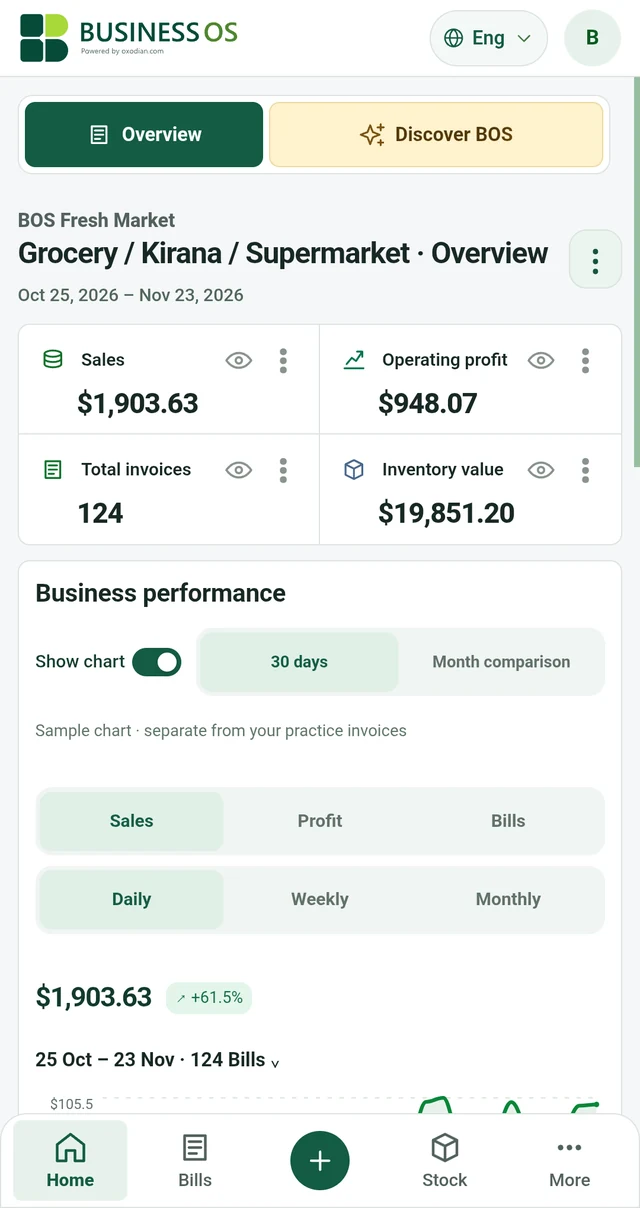
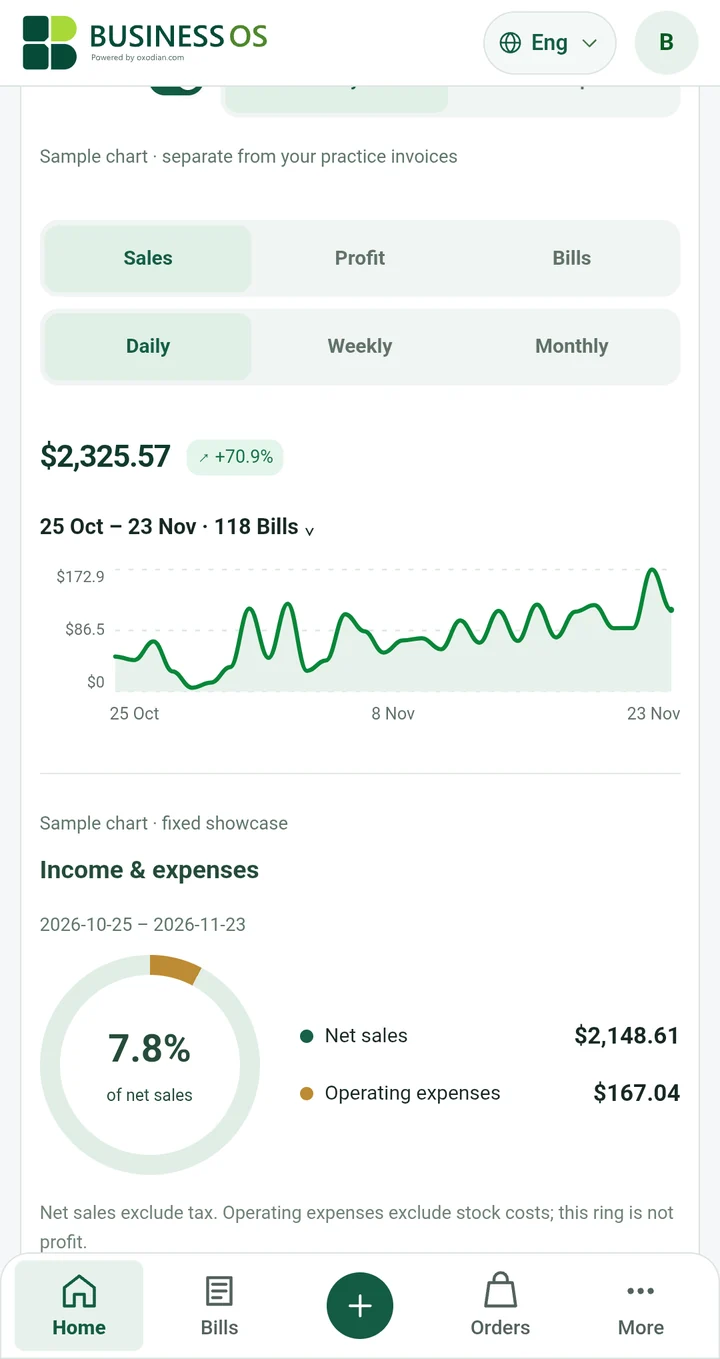
See sales, profit, payments and other useful figures at a glance.
Keep sales, recorded payments and outstanding dues clearly separate.
Choose a date range and compare sales and performance over time.
Review recorded cash, UPI and card collections by payment method.
Sold inventory quantities reduce automatically when a product invoice is created.
Track purchase records and average cost to understand stock investment.
Keep rent, salary and other recurring expenses with their next payment dates.
Organize supplier, purchase and everyday expense records in one workspace.
Show selected products or services and hide others from your public menu.
Update prices and availability while keeping the same QR code.
Let customers reopen your catalogue from the QR on their invoice.
Connect customers with a short business link and printable QR.
Give staff their own login, separate from the owner account.
Optional Multi-staff add-onReceive new-order alerts when device notifications and permission are enabled.
Optional Multi-staff add-onSee which staff member accepted and is handling each order.
Optional Multi-staff add-onIdentify orders from different tables, counters or rooms using location QR codes.
Optional Multi-staff add-onUse the supported location flow for unnamed walk-ins with a serial number.
Optional Multi-staff add-onLet authorized staff record payments, create invoices and share on WhatsApp.
Optional Multi-staff add-onReview time recorded from order acceptance to completion.
Optional Multi-staff add-on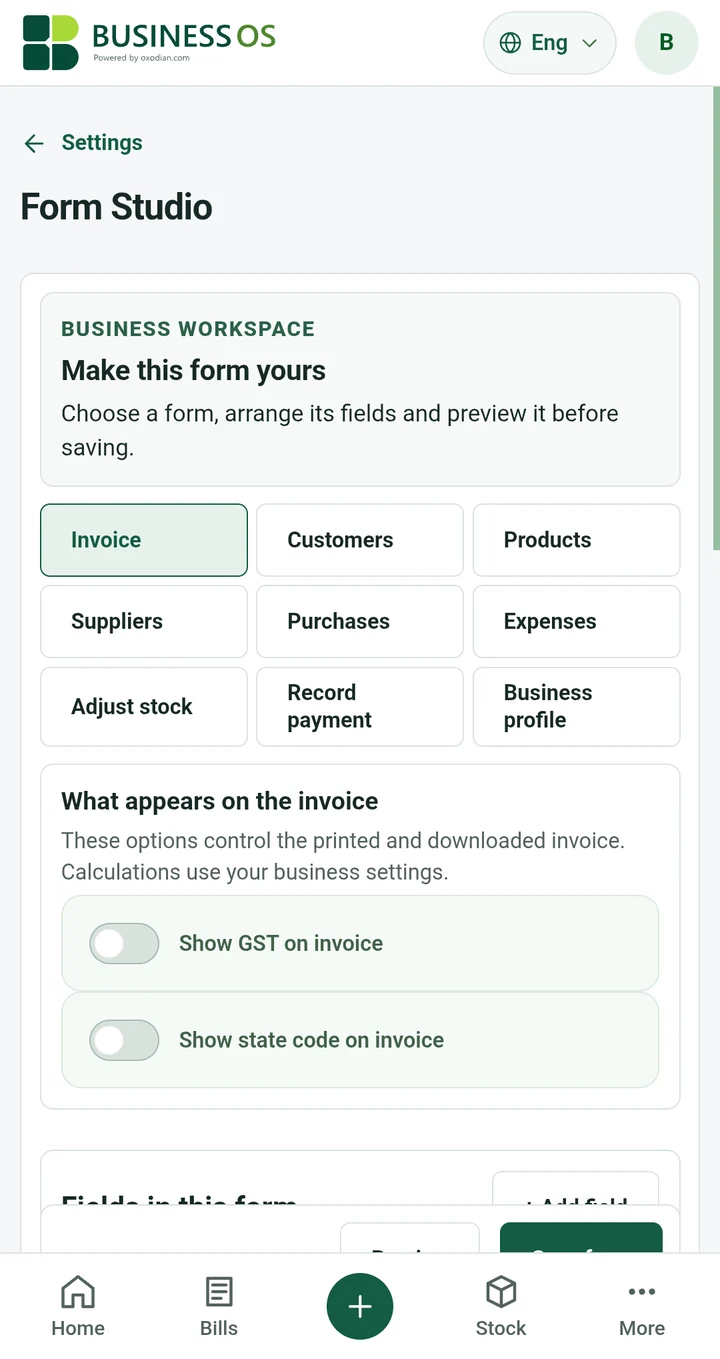
Understand team progress using completed orders and recorded work time.
Optional Multi-staff add-onCheck which staff member created a bill in its invoice details.
Optional Multi-staff add-onReview staff cash collections, deposits and remaining balances.
Optional Multi-staff add-onSet manager and staff permissions while retaining owner controls.
Optional Multi-staff add-onDecide who can change items, quantities, discounts and tax.
Optional Multi-staff add-onLimit staff invoice access and set separate manager permissions.
Optional Multi-staff add-onKeep sensitive settings, permissions and account or data deletion under owner control.
Optional Multi-staff add-onApply item or bill discounts and included or additional tax.
Use your logo and invoice design, with A4 or 80 mm thermal printing.
Access records from supported browsers on computers, phones and tablets.
Add BOS to your home screen from a supported browser.
Ask questions, get guidance and suggest features in the 24/7 AI support chat.
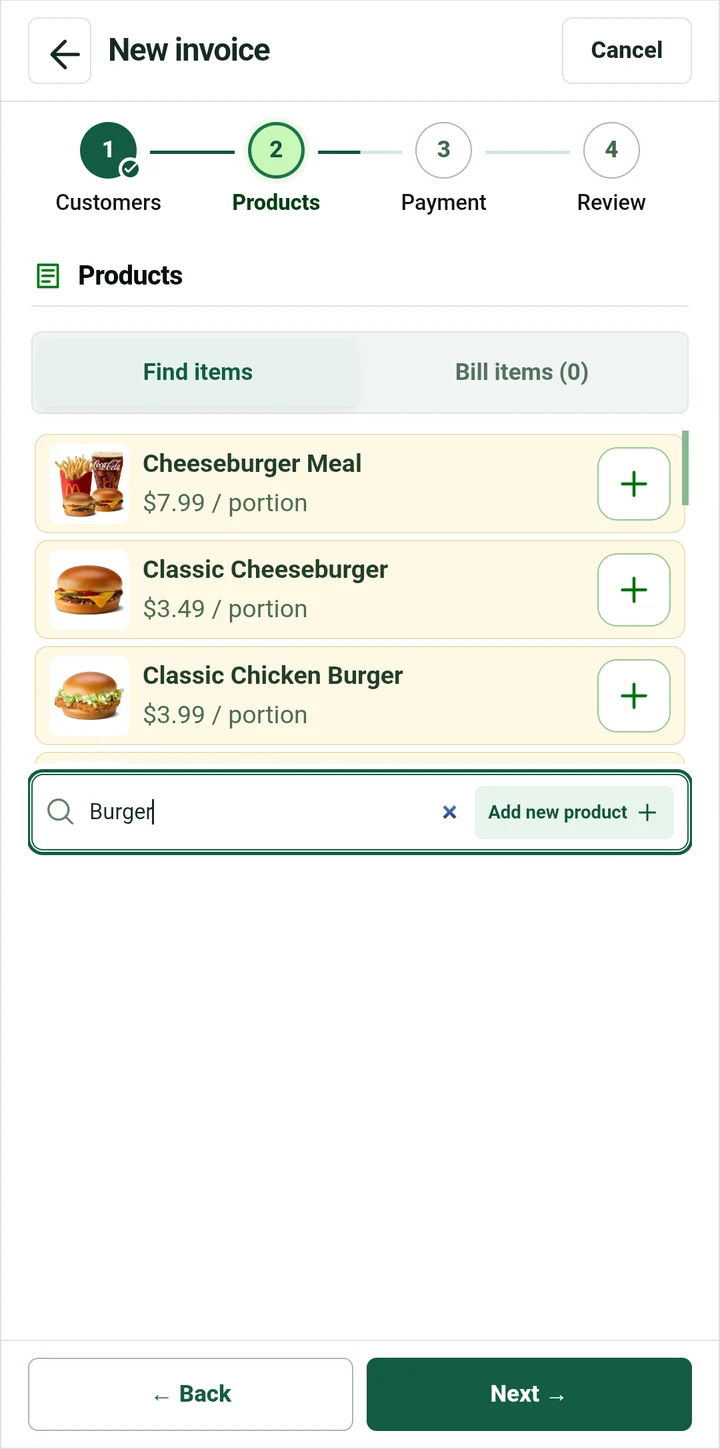
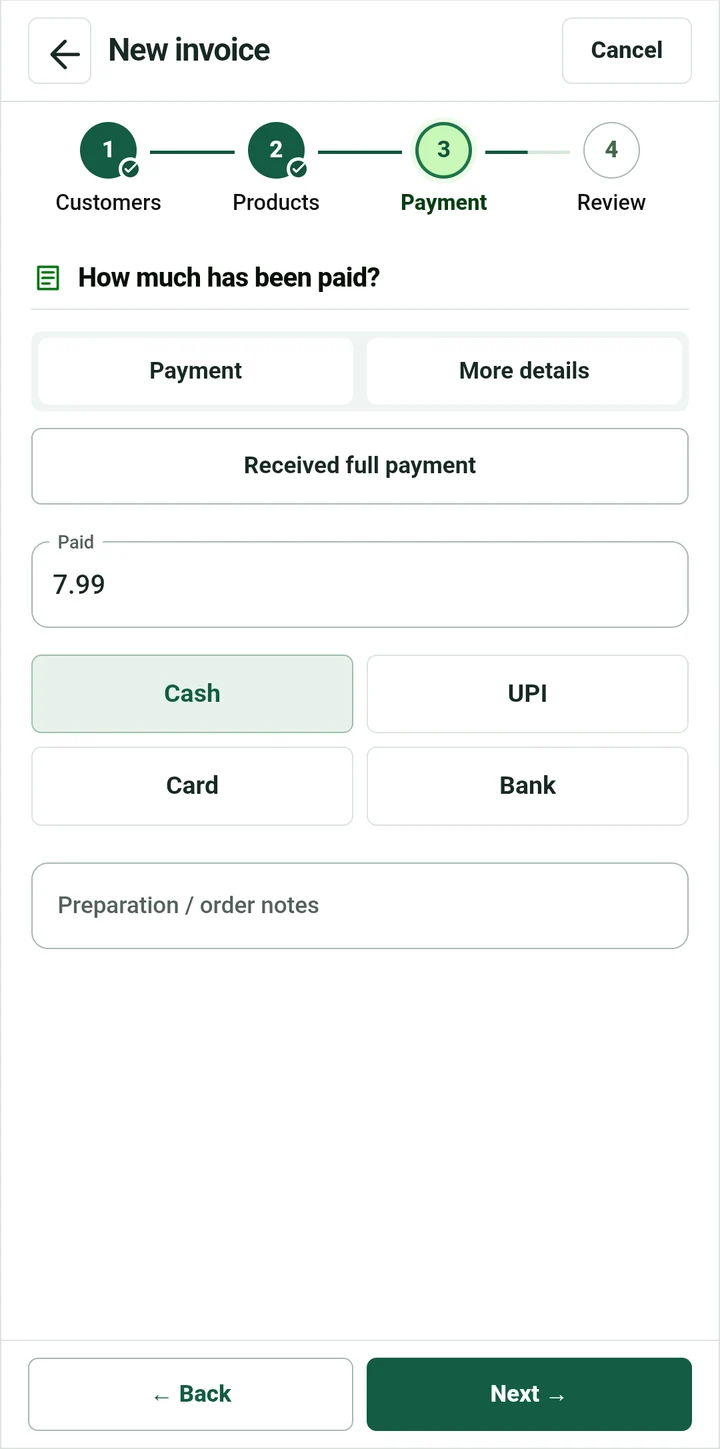
Smart Forms start with the information your kind of business needs.
Business-specific form fields
Add or hide form fields; arrange forms, visible features and your dashboard around your work.
Business-specific form fields
Add or hide form fields; arrange forms, visible features and your dashboard around your work.
Business-specific form fields
Add or hide form fields; arrange forms, visible features and your dashboard around your work.
Business-specific form fields
Add or hide form fields; arrange forms, visible features and your dashboard around your work.
Business-specific form fields
Add or hide form fields; arrange forms, visible features and your dashboard around your work.
Business-specific form fields
Add or hide form fields; arrange forms, visible features and your dashboard around your work.
Business-specific form fields
Add or hide form fields; arrange forms, visible features and your dashboard around your work.
Business-specific form fields
Add or hide form fields; arrange forms, visible features and your dashboard around your work.
Business-specific form fields
Add or hide form fields; arrange forms, visible features and your dashboard around your work.
Business-specific form fields
Add or hide form fields; arrange forms, visible features and your dashboard around your work.
Business-specific form fields
Add or hide form fields; arrange forms, visible features and your dashboard around your work.
Business-specific form fields
Add or hide form fields; arrange forms, visible features and your dashboard around your work.
Business-specific form fields
Add or hide form fields; arrange forms, visible features and your dashboard around your work.
Business-specific form fields
Add or hide form fields; arrange forms, visible features and your dashboard around your work.
Business-specific form fields
Add or hide form fields; arrange forms, visible features and your dashboard around your work.
Business-specific form fields
Add or hide form fields; arrange forms, visible features and your dashboard around your work.
Business-specific form fields
Add or hide form fields; arrange forms, visible features and your dashboard around your work.
Business-specific form fields
Add or hide form fields; arrange forms, visible features and your dashboard around your work.
Business-specific form fields
Add or hide form fields; arrange forms, visible features and your dashboard around your work.
These are configurable information fields. Requested dates, warranty notes, batch details and deposits remain recorded information, rather than automatic specialist workflows.
GOOD QUESTIONS DESERVE CLEAR ANSWERS
Yes. BOS brings everyday billing, customers, expenses, stock and reports together. Choose one of 19 categories, or adapt the custom business workspace.
No. Choose your business category and start with the tools you need. Learn BOS contains published video tutorials when available.
Yes. Share an invoice, or contact a customer about an outstanding payment. You choose when to send; BOS does not automate unsolicited messages or debt collection.
Set each product’s low-stock threshold and keep quantities up to date. Supported stock alerts highlight items that need attention; they do not place supplier orders.
Yes. Customer history shows recorded purchases and dues. Return estimates require enough purchase history and are approximate.
Yes. They can open your published catalogue link or scan a saved QR. Enabled items, prices, photos, categories and configured discounts appear there. Ordering depends on your settings.
Yes. Category-aware smart forms support relevant service details and service billing. You can also customize supported fields.
It explains supported reports using your recorded business data. There are 12 report types. AI reports and advice require eligible paid-plan access and are subject to usage limits.
Form Studio and workspace settings support custom fields and preferences. Paid-plan WhatsApp developer support accepts questions, issues and feature requests, without a promise to build every request.
No. V2 stores relevant information and supports ordinary billing and inventory. Advanced specialist automation is reserved for V3.
No. Activating the free trial does not authorize an automatic subscription charge. You decide whether to purchase a paid plan. Check the renewal terms before making a store subscription purchase.
Yes. Create a workspace and activate your seven-day free trial. Your own records stay in the same workspace if you later choose a paid plan.
Yes. We can discuss a tailored plan for multiple shops, branches or outlets. Tell our developer team how many locations you operate and what access or customization each needs. Additional charges apply. The exact setup, supported features and costs will be reviewed and confirmed before you subscribe; multi-outlet management is not included in the standard plan.
 Discuss My Branch Requirements on WhatsApp
A note from the founder

Founder & CEO, OXODIAN
Kolkata, IndiaA SIMPLE PLACE TO START
Your everyday business workspace
₹199/ month
India pre-launch · Proposed pricing. Payments are not available yet.
7 days to try it. No automatic charge after the trial.
Separate subscription for team access and owner-controlled permissions.
₹299/ month
Your brand. Your own digital product.
Let’s discuss your project
A separate custom project. Scope, price, timeline, hosting and ongoing costs are agreed before work begins.
Start the core 7-day trial first. Each package has its own 7-day trial. No automatic charge when a free trial ends. Paid subscriptions, taxes, AI usage limits and support conditions follow checkout and the linked terms. Store purchases follow the billing terms shown by that store. Terms
 Listen to BOS
Tap to listen
Loading your workspace…